TL;DR
Not every AI request needs your most expensive model. Model routing adds a decision layer that sends each request to the smallest model capable of handling it correctly.
The article covers three approaches:
- Classifier-based routing: route by complexity or task type
- Cascade routing: start with a cheaper model and escalate when needed
- Semantic routing: route based on the meaning/domain of the request
But cost isn’t the only consideration. The guide emphasizes setting a quality floor, maintaining fallback paths, monitoring router drift, and measuring cost per resolved query rather than cost per token alone.
Pull a model provider invoice at the end of the month and sort it by request type.
Chances are, the same line item “frontier model” shows up on almost every row.
This is what happens when a team wires an API key to GPT-5.5 during a pilot and never revisits the decision once that pilot hits production traffic running at ten times the volume.
Frontier models aren’t overpriced. The problem is that most of what an enterprise AI system handles doesn’t need frontier-level reasoning. Classifying a support ticket using the same model that debugs a production outage is like calling in a neurobiologist to take a high school science test.
Model routing fixes that mismatch. But it’s an infrastructure decision, and it takes work + investment to get running. This piece covers how routing works, the strategies to configure routing, how to implement it without breaking output quality, and where it tends to fail in production.
Why Sending Every Query to Your Best Model Wastes Money
GPT-5.5, currently one of the most capable frontier models available, runs $5 per million input tokens and $30 per million output tokens for the standard tier.
Mid-tier and smaller models cost a fraction of that. When every request, regardless of complexity, gets billed at frontier rates, the cost amplifies at volume.
Enterprise AI systems handle a lot of low-complexity work like document lookups, intent classification, short retrieval-augmented answers, and simple SQL generation. None of this requires the reasoning depth of a frontier model.
In an AISquared benchmark, 58% of total traffic didn’t need frontier-tier compute to produce a correct, complete answer.
In essence, the problem is treating every request as equally hard when it isn’t.
What is Model Routing?
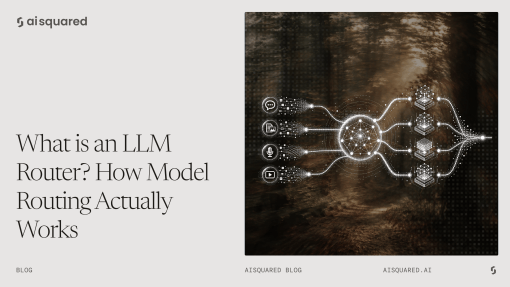
Model routing is a decision layer that classifies each incoming request and sends it to the smallest model capable of handling it correctly. It operates between the application and the model pool.
Quick clarification here.
Model orchestration and routing are not the same. It is the full system that connects models, tools, data sources, agents, and workflow steps to complete an outcome.
Model routing is one decision inside that system. It picks the model.
Orchestration coordinates everything the model does once it’s picked, such as which tools it calls, what data it retrieves, and how the output moves downstream.
Note this if you’re evaluating vendors. Some platforms market orchestration capability under the label “routing,”. Others call a single-model API integration “routing” when there’s no decision logic involved.
Here’s what to ask in a vendor conversation: Is this choosing between models, or coordinating a whole workflow around one?
How Model Routing Lowers Inference Costs
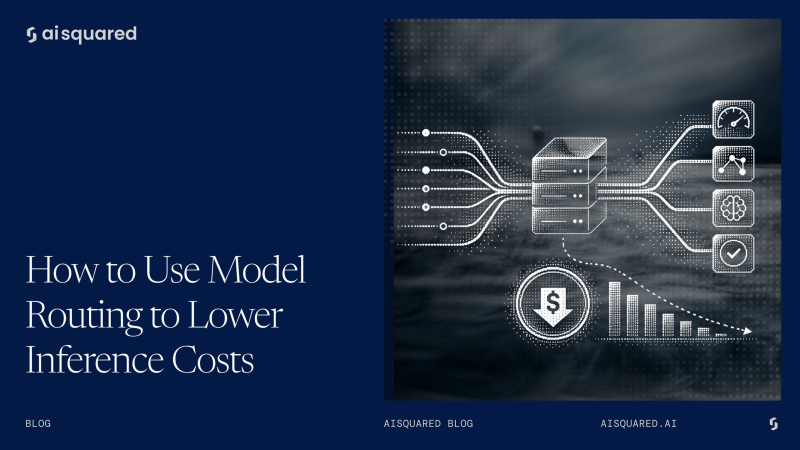
A request comes in, gets classified by complexity or intent, and gets sent to the cheapest model that clears a defined quality bar for that task type.
The savings come from the token-cost differential between model tiers. But be aware that a smaller model that produces a wrong or incomplete answer isn’t the solution. It just creates support tickets.
In AISquared’s internal benchmark, routing through a dedicated router model led to:
- A 49% reduction in operational expenditure compared to sending 100% of traffic to a frontier model.
- 58% of high-cost tokens shifted to a low-cost tier, without a corresponding drop in output quality for the routed tasks.
Shifting the majority of traffic to smaller models frees up high-tier GPU and VRAM capacity for the requests that need it. The same benchmark found this freed up roughly 60% of high-tier VRAM.
Routing Strategies
Not all routing works the same way. The right approach depends on what data you already have and how ambiguous your traffic mix is.
- Classifier-based routing trains a model to categorize each request by complexity or task type before it’s sent anywhere. It’s fast and cheap once built, but needs labeled training data or a well-maintained rules engine to start.
- Cascade routing sends a request to a small model first, and only escalates to a larger one if the response falls below a confidence threshold. It’s the easiest strategy to stand up without a labeled dataset, but it adds latency to every escalated request.
- Semantic routing classifies requests based on meaning, typically using embeddings, rather than surface features like keywords or request length. It handles ambiguous or mixed-intent traffic better than the other two approaches. But setup cost is higher, and it’s prone to drift.
How to Implement Cost-Based Model Routing
Start by instrumenting current traffic by complexity. Pull a sample of real production requests and manually tag them by what tier of model they needed. That tagged sample is your first training or validation set.
Set a quality floor per task category before you set a cost floor. Don’t optimize for the cheapest model that technically returns a response. Wait for the cheapest model that meets a defined accuracy or completeness bar for that specific task. Define the bar first.
Build in a fallback path for low-confidence classifications. When the router isn’t sure, don’t force a single decision. Instead, escalate.
How to Avoid Quality Loss
Quality loss is the real risk in model routing. Here are a few practices to keep it in check:
- Maintain a held-out evaluation set per task category, so regressions get caught before they reach users.
- Monitor for classifier drift over time. A router that was 95% accurate at launch degrades as your product, your users, and your query patterns change.
- Treat routing accuracy as a metric that needs the same ongoing attention as model accuracy. It’s not a one-time setup task you finish and forget.
Where to Implement Routing: Application vs. Gateway
There are two places to put the routing decision. Depending on what you choose, the trade-off is speed to ship versus consistency of enforcement.
Application-layer routing exists in your product code. It’s faster to build and iterate on, since it’s close to the specific use case. But the moment you have more than one application calling models, routing logic gets duplicated, drifts out of sync across teams, and becomes very difficult to audit as a single system.
Gateway-layer routing centralizes the decision at the infrastructure level. Every request passes through the same routing, governance, and logging logic. This is also where access control and audit requirements exist, since a gateway can enforce who’s allowed to trigger which model tier before the routing decision happens.
This is the layer that AISquared’s AI Controls Framework addresses with Policy and Governance. The point is that routing and access control aren’t separate concerns bolted together after the fact. They’re the same layer, enforced once, centrally.
How to Measure ROI: Cost per Query Before and After
Here’s the formula: cost per query equals total token spend divided by total resolved queries, tracked before and after routing goes live.
Note that “Resolved” is more important than “answered.” A cheap response that triggers a re-prompt, an escalation, or a support ticket isn’t truly cheap once you account for what it costs downstream.
Cost-per-token alone is a misleading metric. It hides quality regressions that only show up in secondary signals like repeat queries, manual escalations, or drop-off in task completion.
Here’s how AISquared’s benchmark data translates into a query-level view:
| Metric | Monolithic (Frontier Model) | Routed |
| Estimated cost | $12.40 | $6.33 |
| Cost delta | — | -49% |
| Weighted avg. latency | 3.15s | 1.81s |
Build your own version of this table once routing is live. Track it monthly since the ratio of cheap-to-expensive traffic changes as your product and user base evolve.
Common Model Routing Mistakes
Most routing failures trace back to how the system was built and maintained. The router picking the wrong model is not as much of a concern. Here are the model routing mistakes to look out for:
- Routing on cost alone, with no quality floor set per task category, optimizes the wrong variable and shows up later as user complaints.
- No fallback or escalation path when the router picks wrong. This turns a routing error into a quality failure.
- Treating the router as fire-and-forget instead of monitoring for drift. This is the same mistake teams make with any model they stop watching after launch.
- Making routing decisions in the application layer with no audit trail. This turns into a governance problem anytime the system touches regulated data.
Where AISquared Fits
The router behind every number in this piece is Bolt Instruct 32B, part of AISquared’s Bolt model family. Instead of running everything through a frontier model by default, these are purpose-built models designed to take on the token burden of enterprise workloads like document processing, retrieval, governance checks, and routing.
Bolt runs inside AISquared’s UNIFI infrastructure, on-premises or in the cloud. It’s part of the same platform that handles connectivity, governance, and delivery.
For a VP of IT or a Head of Data Science evaluating this, the benefit lies in what you don’t have to build. You’re no longer assembling a routing layer, a separate governance gateway, and a logging system to satisfy an audit. Instead, you work with one platform where the routing model, the access control, and the audit trail are in the same system.
The Real ROI of Model Routing
Model routing is the decision layer that sends each request to the smallest model capable of handling it correctly.
Done well, it significantly cuts inference cost. In AISquared’s benchmark, costs dropped by 49%, while holding output quality steady for tasks that get routed to smaller models.
But if done carelessly without a quality floor or a fallback path, then routing will end up trading a cost problem for a quality problem that’s harder to see and handle.
It’s also not only a cost story. The same AISquared benchmark that showed the cost reduction also showed a 2.4x gain in requests-per-second capacity and freed-up high-tier GPU capacity for the harder tasks that need it. Routing done right buys back capacity as much as it saves budget.
Frequently Asked Questions
How much can model routing actually save?
In AISquared’s internal benchmark, routing cut operational expenditure by 49% by shifting 58% of traffic to lower-cost models. Of course, actual savings depend on your traffic mix. If most of your volume is genuinely low-complexity, you’ll save more with model routing.
Does routing add latency?
Request and model classification add a small overhead, but the net effect is usually faster since most traffic shifts to smaller, quicker models. The exception is high-complexity tasks like coding, where routing overhead can add a slight latency cost with no offsetting speed gain. This is why setting a quality-and-complexity floor is more important than following a blanket cost rule.
What happens when the router picks the wrong model?
This is the real operational risk in routing, even more so than cost. Without a fallback or escalation path, a misrouted request returns a wrong or incomplete answer with no recovery step. Set a confidence threshold that triggers escalation to a larger model, along with a held-out evaluation set per task category. This will prevent a routing error from becoming a quality failure.
Is model routing the same as model orchestration?
No. Routing decides which model handles a given request. Orchestration is the broader system that connects models, tools, data, and workflow steps to complete an outcome. Routing is one component inside orchestration.