Enterprises now have access to more than one AI model. They might use a capable frontier model for complex reasoning, a smaller model for structured extraction, and a provider-specific model for a niche domain. As a result, the question has now become “which model should handle this specific request?”
That’s why engineering teams choose an LLM router.
A straightforward customer query doesn’t need the same model as a multi-document financial analysis. Sending both to the same frontier model works, but it’s wasteful and slow. In this article, we will look into LLM routers, what they can do, tradeoffs, and your best options in the market.
What is an LLM Router?
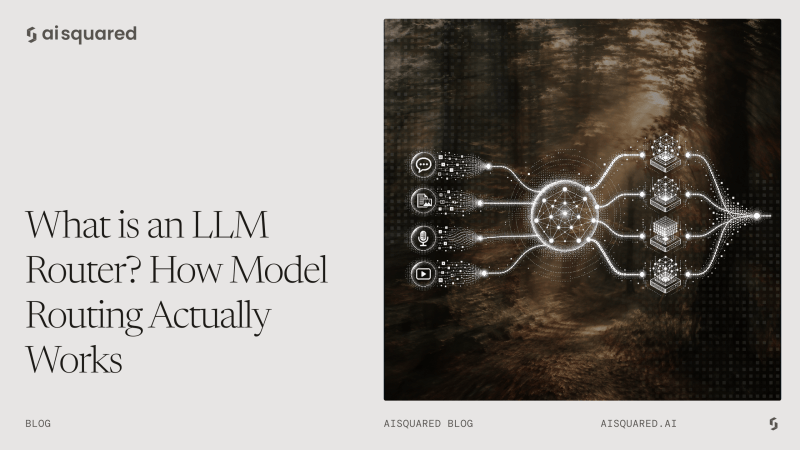
An LLM router is a software layer that checks an incoming request and decides which model or model-provider combination should handle it. The router sits between the application and the models, making that selection based on criteria relevant to the task: complexity, cost ceiling, latency requirements, domain, availability, or governance policy.
The key framing is, instead of asking “what’s the best model?”, a router asks “what’s the most appropriate model for this specific request given its constraints?”
Example
Consider a customer support workflow receiving three different requests:
“What are your refund policy hours?” That’s a straightforward question with a clear answer. It probably doesn’t need your most powerful model.
“Can you analyze this billing dispute using three invoices, two contracts, and the customer’s chat history?” That’s a much more complex task that requires more context and deeper reasoning.
The first might be handled easily by a smaller, faster model, while the second may need a more capable one. A router looks at the request and its requirements, then chooses a model that fits the job.
Why LLM Routing Matters
1. Cost
Routing lets teams send simpler workloads to smaller, cheaper models without sacrificing quality for those tasks. That said, routing doesn’t automatically reduce costs. Poorly designed routing logic can add classification overhead, miscategorize requests, or default too many queries to expensive models. Savings require deliberate decisions.
2. Quality
The quality improvement from routing comes from better task-model alignment. A model specialized in structured extraction will outperform a general model on that task.
3. Latency
Different models have meaningfully different response times. Latency-sensitive applications may prefer a faster model even when a slower one produces marginally better output. Routing gives teams control over that trade-off.
4. Reliability
Routing enables fallbacks. If a model or provider is unavailable, traffic can move to an approved alternative. Without routing, a provider outage can take down an entire application.
5. Provider flexibility
Routing reduces dependence on a single model or provider, making it easier to adopt new models, negotiate better pricing, or move between providers without rewiring the application.
How LLM Routing Works
The basic flow looks like this: request arrives, gets analyzed, router evaluates candidate models, selects one, executes the call, and handles fallbacks if needed.
Step 1: Receive the request
The router intercepts the incoming query from the application or workflow.
Step 2: Analyze
The router inspects characteristics of the request: intent, complexity, domain, metadata, workflow context, or user type.
Step 3: Evaluate candidates
Available models are assessed against the constraints that matter for this workload.
| Requirement | Routing consideration |
| Simple classification | Smaller, cheaper model |
| Complex multi-step reasoning | More capable model |
| Sub-100ms latency | Fastest available model |
| Cost ceiling | Lower-cost model within threshold |
| Provider outage | Alternate provider |
| Regulated domain | Approved model for that domain |
Step 4: Execute
The selected model receives the request.
Step 5: Fallback or evaluate
If the response doesn’t meet a quality or confidence threshold, or if the model fails, the router can retry or escalate to a more capable model.
LLM Routing Strategies
Different LLM routers have different ways of handling incoming requests. The most known ones are classifier-based routing, cascade routing, and semantic routing.
1. Classifier-based routing
A classifier analyzes the incoming request and maps it to a model based on task type. The trade-off is that the classifier is itself a model call, which adds latency and cost. The routing decision needs to deliver enough value to justify that overhead.
2. Cascade routing
Cascade routing uses a staged approach. A cheaper or faster model handles the request first. If it meets a defined quality threshold, the workflow ends. If not, the request escalates to a stronger model.
This works well when most requests are relatively simple and only a minority require heavy reasoning. The risk is calibration. If the evaluation threshold is too lenient, low-quality responses get through. If it’s too strict, most requests escalate anyway and you’ve added a round-trip for nothing.
3. Semantic routing
Semantic routing uses the meaning of a request, typically through embeddings, to decide which model or model class should handle it. Semantic routing is useful when domain matters more than explicit task classification. Its limitation is that semantic similarity tells you what a request is about, not which model will handle it best.
Where to Implement Routing: Application vs. Gateway Layer
Routing can live inside the application that owns the AI workflow or at a centralized gateway layer. The trade-off is mainly between application-specific context and centralized control.
| Consideration | Application Layer | Gateway Layer |
| Context | Has access to detailed workflow context, user role, task state, business rules, and use-case requirements. | Usually has less application-specific context and primarily sees the request, metadata, and configured policies. |
| Routing decisions | Can make highly specific decisions based on the actual task and workflow. | Better suited to infrastructure-level decisions such as provider selection, load balancing, fallbacks, and routing policies. |
| Consistency | Routing logic can vary between applications and teams. | Centralized policies provide consistent routing behavior across applications. |
| Governance | Governance logic may need to be implemented separately across applications. | Centralizes access controls, policies, observability, and other governance controls. |
| Fallbacks & reliability | Can implement workflow-specific fallback logic. | Provides consistent provider/model fallbacks across applications. |
| Observability | Can capture detailed application and workflow context. | Provides a centralized view of model usage, latency, costs, and provider performance. |
| Maintenance | Logic can become duplicated and harder to update across applications. | Routing policies can be updated centrally without changing every application. |
The Hybrid Approach for Production Workflows
These layers do not need to be mutually exclusive. The application or workflow can determine what the task requires, while the gateway manages how that request reaches an appropriate model or provider.
For example, an application might determine that a request requires complex reasoning and a specific data-handling policy. The gateway can then select an available model, apply provider rules, handle retries, and enforce centralized controls.
Benefits and Trade-offs of LLM Routing
LLM routing can improve both the economics and reliability of a multi-model AI system, but it also introduces another layer of infrastructure to manage.
Benefits
- Lower model costs: Route simple workloads to smaller, less expensive models instead of using a frontier model for every request.
- Better task-model alignment: Different models can handle different workloads based on their capabilities, rather than forcing one model to handle everything.
- Lower latency: Simpler requests can be sent to faster models without waiting on a more capable model that the task doesn’t require.
- Greater reliability: Routing can support provider fallbacks, retries, and alternate models when a model or provider is unavailable.
- More flexibility: A routing layer makes it easier to add, remove, or switch models as the model landscape changes.
Trade-offs
With the benefits mentioned, an LLM routing layer also comes with its own set of tradeoffs and maintenance.
- Routing overhead: A classifier or semantic router adds its own latency and cost. The routing decision needs to provide enough value to justify that overhead.
- Routing mistakes: A request sent to the wrong model can either produce a poor answer or waste money. A difficult task sent to an underpowered model may hurt quality, while a simple task sent to an expensive model wastes budget.
- Evaluation requirements: You need evaluation data to determine whether routing is actually improving cost, quality, or latency. Without measurement, there is no reliable way to optimize the routing policy.
- Operational complexity: Supporting multiple models means dealing with different APIs, context windows, pricing structures, capabilities, safety behavior, and failure modes.
- Ongoing maintenance: Models and pricing change constantly. A routing policy that worked well a few months ago may not make the same decisions today. Routing is therefore an ongoing optimization rather than a one-time configuration.
Best LLM Router Tools in 2026
LLM routing tools now fall into several categories. Some focus primarily on model selection, while others combine routing with provider management, observability, reliability, governance, or broader AI orchestration. The right fit depends on what you need the routing layer to handle.
1. AISquared
AISquared’s UNIFI is an enterprise AI infrastructure and orchestration platform that includes dynamic model routing as part of a broader production AI workflow. AI Squared fits when enterprise teams want model routing to be part of their AI stack rather than a standalone routing layer.
Key capabilities:
- Dynamic model routing: Selects models within workflows based on task requirements and workflow context.
- Bolt models: Bolt Instruct can support structured tasks such as extraction, RAG, and routing requests to downstream models.
- Enterprise workflow integration: Routing can work alongside RAG, guardrails, governance, and AI delivery into existing business applications.
2. LiteLLM
LiteLLM is an open-source framework and proxy that gives developers a unified interface across many LLM providers. LiteLLM is a good fit for developer teams that want open-source, self-controlled routing and gateway infrastructure.
Key capabilities:
- Multi-provider routing: Route requests across different models and providers through a common interface.
- Load balancing: Distribute traffic across model deployments.
- Retries and fallbacks: Move requests to alternate deployments when failures occur.
3. OpenRouter
OpenRouter is a managed model and provider routing platform that gives applications access to a large model ecosystem through a unified API. OpenRouter can be a good choice for teams that want broad access to models and providers without building and maintaining the underlying routing infrastructure.
Key capabilities:
- Auto Router: Classifies requests and selects models based on task requirements and configurable cost-quality trade-offs.
- Provider routing: Selects among providers serving the same model based on factors such as availability and cost.
- Fallbacks: Supports alternate providers and models when the preferred route is unavailable.
4. Portkey
Portkey is an AI gateway that combines model routing with reliability, governance, and observability features. Portkey fits in teams looking for routing as part of a broader AI gateway rather than as a standalone model-selection service.
Key capabilities:
- Load balancing: Distribute requests across configured model or provider targets.
- Fallbacks and retries: Automatically retry failed requests or move them to alternate targets.
- Routing policies: Combine routing with caching, guardrails, cost tracking, and other gateway controls.
5. Kong AI Gateway
Kong AI Gateway extends Kong’s API gateway infrastructure to manage and route AI traffic across models and providers. A good choice for enterprises already using API gateway infrastructure that want to extend centralized traffic management and governance to AI workloads.
Key capabilities:
- Multiple routing strategies: Supports approaches including lowest latency, lowest usage, semantic routing, priority-based routing, and consistent hashing.
- Provider abstraction: Connects multiple AI providers through a common gateway layer.
- AI traffic governance: Combines routing with authentication, access control, observability, and broader API governance.
6. Orq AI
Orq AI is an AI gateway that combines model routing with observability, reliability, and cost management. Orq AI works best for teams that want model routing alongside AI gateway controls, observability, and production reliability.
Key capabilities:
- Smart Router: Evaluates task difficulty and routes requests according to configured cost-quality trade-offs.
- Routing policies: Apply rules for selecting models and providers based on workload requirements.
- Automatic failover: Retry or redirect requests when a model or provider fails.
7. Helicone
Helicone combines an AI gateway with LLM observability, giving teams routing and production monitoring through the same infrastructure layer. If you want a routing layer tightly coupled with observability for your LLMs and agents, Helicone can be your pick.
Key routing capabilities:
- Multi-provider routing: Route requests across different model providers through a unified interface.
- Load balancing and failover: Distribute traffic and automatically move requests when a provider fails.
- Production observability: Track requests, costs, latency, and multi-step AI or agent interactions to understand how routing performs in production.
Making Model Selection Deliberate
Routing makes model selection more deliberate by matching each workload to the right combination of cost, latency, quality, reliability, and governance. AI Squared’s UNIFI brings that decision into the broader enterprise AI workflow, connecting model routing with orchestration, enterprise context, governance, and application delivery.
Instead of managing routing as another isolated infrastructure layer, you can build it into the workflows where AI actually runs.
See how AISquared helps enterprises move AI from experimentation to production with UNIFI.
Frequently Asked Questions
What is the difference between an LLM router and an LLM gateway?
An LLM router decides which model or provider should handle a request. An AI gateway is a broader infrastructure layer that can handle routing, authentication, governance, observability, rate limits, and cost controls. A gateway can include a router.
Does LLM routing reduce response quality?
It depends on the routing logic. A well-designed router can match tasks to appropriate models without sacrificing quality. Poor routing can send complex tasks to models that are not capable enough. Evaluation is essential.
What is semantic routing?
Semantic routing uses the meaning of a request, often through embeddings or semantic similarity, to select a model or model class. It can route based on topic or task similarity, but should usually be combined with factors such as complexity and cost.